

You type something into an AI chatbot — maybe a half-formed business idea, a medical question you’re too embarrassed to Google, or something deeply personal — and then your finger hovers over Enter.
Who else sees this? Where does it go? Could it come back to haunt me?
These aren’t paranoid questions. They’re the right ones. And yet, most answers online are either dangerously vague or flat-out wrong. Some articles claim your data is basically public. Others insist everything disappears the moment you close the tab.
Neither is true.
This guide gives you the 2026-updated reality — what ChatGPT actually does with your conversations, what the February 9, 2026, privacy policy update actually changed, three critical risks almost no one is talking about, and the practical steps that will actually protect you.
Does ChatGPT publish your data?
No, ChatGPT does not publish your conversations publicly or share them with other users. However, data is retained internally for up to 30 days even after deletion, and agent/operator features carry a 90-day retention window that includes potential screenshot capture. Ads introduced in 2026 use contextual targeting, not long-term profiling. Users should avoid inputting sensitive information, review Memory settings, audit MCP server connections, and understand that disabling training use does not disable data retention.
What Does ChatGPT Do With Your Conversations?
Let’s start with the mechanics, because this is where most confusion begins.
When you send a message, it’s processed by large language models running on OpenAI’s infrastructure. A response is generated, often within seconds, and returned to your screen. If conversation history is enabled — which it is by default — that exchange is stored. If history is off, the data still passes through OpenAI’s systems; it just isn’t saved to your account’s visible log.
Nothing is “posted” anywhere. Your chat doesn’t become a forum thread. It doesn’t get indexed by Google.
But it also doesn’t vanish.
The gap between “not public” and “not stored” is exactly where most people get confused — and where real privacy decisions need to be made. If you’re curious how modern AI systems actually retrieve and process information before responding, the underlying architecture is worth understanding: a RAG (Retrieval-Augmented Generation) pipeline is what allows AI systems to pull in external or stored context, which also explains why session memory and data retention matter so much to how these tools function.
Does ChatGPT Publish Your Data?
Short answer: No.
Your conversations are not published publicly, indexed by search engines, or made visible to other users. Full stop. The idea that “AI trains on data, therefore my data is public” is a misunderstanding of how model training actually works — and it’s a myth worth killing.
What is true:
- Data may be used internally for system improvement
- It may be reviewed in controlled, limited circumstances
- It is not turned into public content or shared like social media posts
Where the confusion persists is in the distinction between training use and public exposure. Those are two completely different things. Even when data contributes to model improvement, it’s processed in anonymized, aggregate form — not displayed anywhere users can access.
Data Residency vs. Data Training: The 2026 Distinction
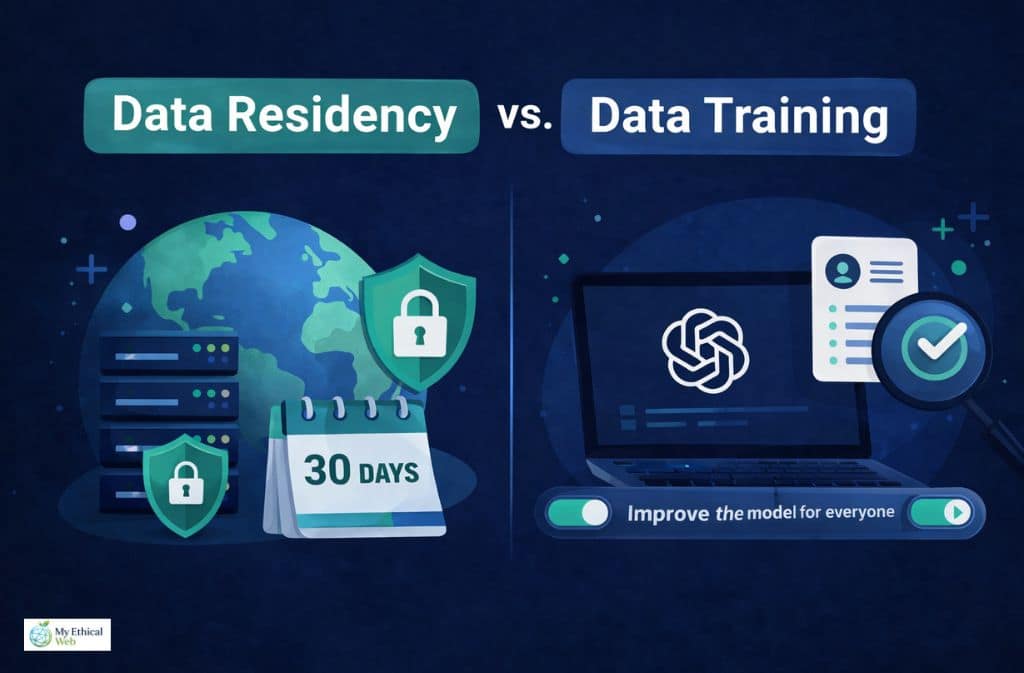
This is the nuance almost every article skips, and it matters enormously.
Data residency refers to where your data is physically stored, for how long, and who can access it under what conditions.
Data training refers to whether your conversations are used to improve the AI model.
These are independently controllable. And conflating them leads to bad decisions.
Here’s why it matters in practice: If you turn off the “Improve the model for everyone” setting in your ChatGPT account, you opt out of your data being used for training. Many users do this and assume they’re done. But this setting has no effect on data residency. Your conversations may still be retained for up to 30 days for security monitoring and abuse detection — that’s a system-level process, not a training process, and opting out of training doesn’t disable it.
In 2026, OpenAI’s February 9 privacy policy update made this distinction slightly clearer — but it’s still buried. The practical upshot:
| Setting | Stops Training Use | Stops Retention |
|---|---|---|
| “Improve the model” OFF | ✅ Yes | ❌ No |
| Temporary Chat | Partially | ❌ No (short-term retention continues) |
| Enterprise EKM | ✅ Yes | ✅ Yes (with key revocation) |
| Deleting a chat | From your view | ❌ Not immediately from backend |
Understanding this distinction is what separates users who feel private from users who are private.
What Happens to Your Data in 2026 (The Full Flow)
Think of your data moving through three distinct stages, each with different implications.
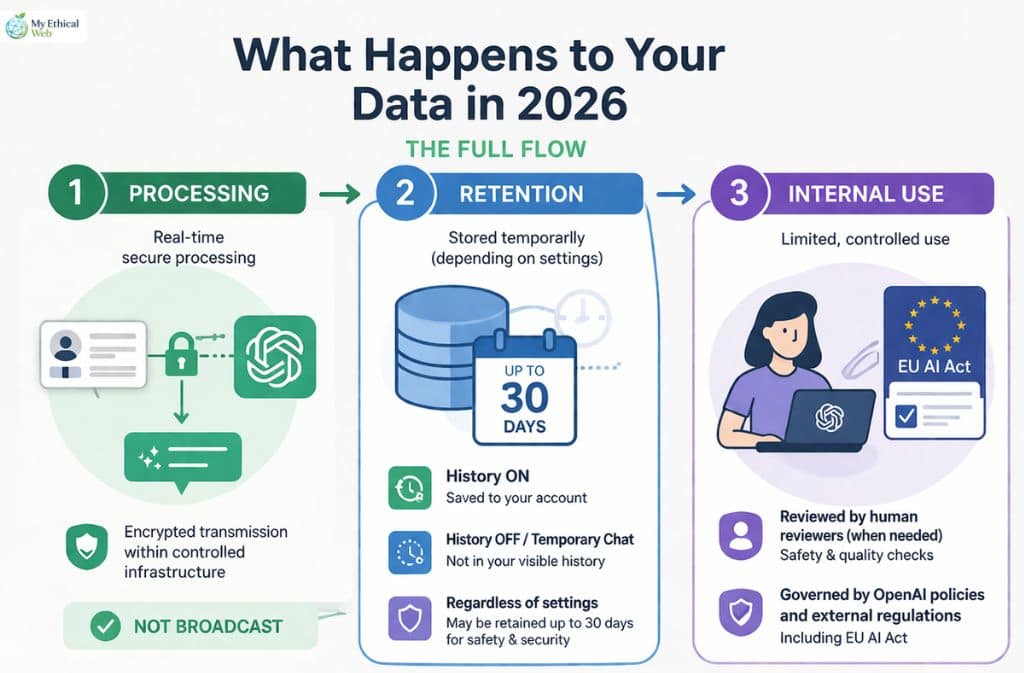
Stage 1: Processing
Your message is transmitted over encrypted connections, processed by OpenAI’s models, and a response is generated. This happens in real time. The data exists inside controlled infrastructure. It is not broadcast.
Stage 2: Retention
Here’s where it gets complicated. Depending on your settings:
- If history is on: your conversation is saved to your account and visible in the interface
- If history is off or you use Temporary Chat: the conversation isn’t saved to your visible log, but backend systems still retain it temporarily
- Regardless of settings: data may be held for up to 30 days for safety and security reasons — even if you delete the chat or never had history enabled
Stage 3: Internal Use
Some conversations are reviewed by human reviewers in limited, controlled circumstances — typically for safety evaluation and quality assurance. Not all conversations are reviewed. The process is governed by OpenAI’s internal policies and, increasingly, by external regulatory frameworks like the EU AI Act.
The 30-Day Rule Most Users Miss
The 30-day retention window isn’t just a policy footnote — it’s a hard-coded backend reality.
When you delete a conversation from your ChatGPT interface, it disappears from your view. What most users don’t realize is that backend systems may still hold that data for approximately 30 days for purposes including:
- Security monitoring
- Abuse and policy violation detection
- System reliability and integrity checks
This is similar to how email services retain deleted emails in backend recovery systems, or how banks keep transaction logs even after you close an account. It’s not malicious — but it means “deleted” and “gone” are not the same thing, at least not immediately.
The practical implication: do not type something sensitive into ChatGPT on the assumption that deleting the conversation afterwards will erase all traces of it.
The Overlooked Risk: Operator/Agent Mode (90-Day Retention)
OpenAI’s newer agentic features — tools that allow ChatGPT to browse the web, interact with applications, and take multi-step actions on your behalf — operate under significantly different retention rules than standard chat. For context on how these agentic systems differ from standard chatbots, see this breakdown of AI agents vs. chatbots and why the distinction matters for privacy.
When you use these features, the system may:
- Capture screenshots of pages you visit or content you interact with
- Record interaction steps — the sequence of actions taken
- Retain this data for up to approximately 90 days
That’s triple the standard chat retention window, and it includes potentially sensitive on-screen content: documents you viewed, forms you filled, pages you browsed.
The Operator-specific privacy checklist that every user of these features should follow:
| Action | Why It Matters |
|---|---|
| Review what tasks you assign to agents | Agents capture context broadly, not just your typed input |
| Avoid using agents near sensitive documents | Screenshots may capture content in your browser or desktop |
| Check agent history logs regularly | These persist separately from standard chat history |
| Don’t assume Temporary Chat applies | Agent session data follows different retention rules |
| Disable agentic features when not in use | Reduces your surface area of exposure |
| Enterprise users: use EKM | Only option that gives genuine control over this data |
If you’re a business user deploying ChatGPT for workflows, the 90-day agent retention window is the single biggest data governance issue you’re likely underestimating.
2026 Update: Ads in ChatGPT — What Actually Changed
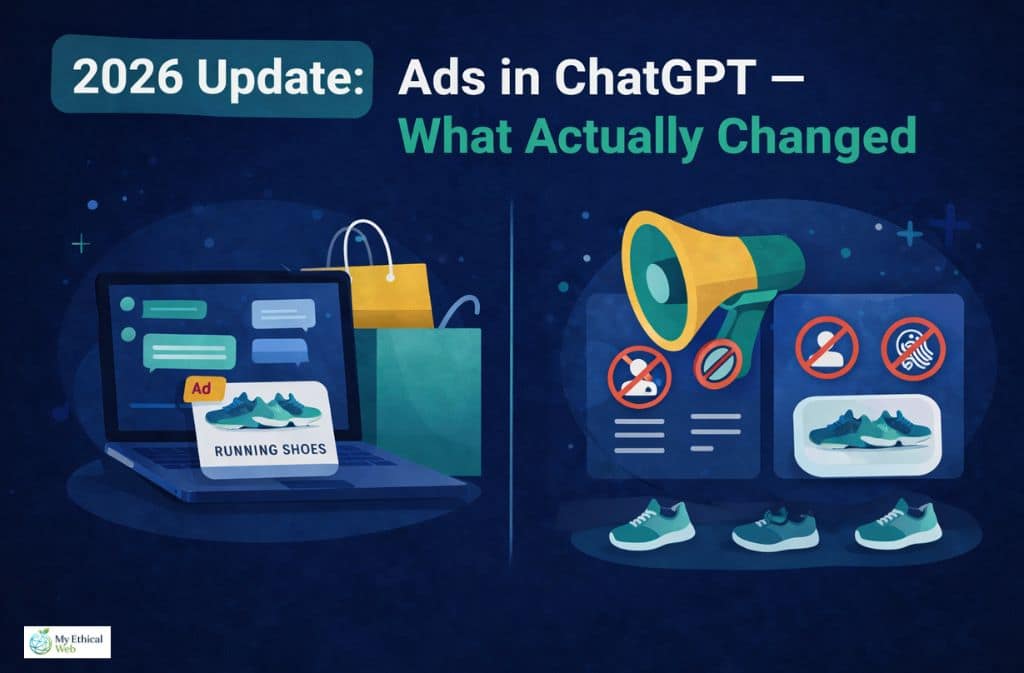
In 2026, ads arrived for some ChatGPT users. The internet reacted with predictable alarm. “Is OpenAI selling my chat history to advertisers?” No. But the details matter.
Ads in ChatGPT work on contextual targeting — the ad system looks at what you’re currently discussing in a session to determine relevance. It does not:
- Build long-term behavioral profiles based on your chat history
- Share your conversations with advertisers
- Link your identity to your browsing behavior
Think of it more like how search ads work — you search for “running shoes,” you see running shoe ads — rather than how surveillance-based social media advertising works.
Advertisers receive targeting parameters, not your conversations. The distinction is significant, even if OpenAI’s communication about it has been less than crystal clear.
The “Legal Hold” Context Almost Nobody Mentions
In late 2025, legal proceedings (including high-profile copyright cases involving AI companies) resulted in preservation orders — court-mandated requirements to retain data that would otherwise be deleted. When a legal hold is in place, the normal deletion process is paused for that data, potentially indefinitely, until the legal matter is resolved.
This means:
- Deleting your ChatGPT history during an active legal hold may not result in that data actually being purged
- You have no visibility into whether a legal hold affects your data
- This isn’t unique to OpenAI — it’s how legal compliance works across all major tech platforms
For the vast majority of users, this is irrelevant. But for anyone involved in litigation, working in legally sensitive industries, or handling information that could become relevant to legal discovery, it’s a meaningful consideration.
Age Prediction Tech: The Privacy Setting You Didn’t Set Yourself
This is a 2026 development that very few users know about.
OpenAI now uses behavioral signals — patterns in how you interact with ChatGPT — to estimate whether a user may be a minor (under 18). If the system predicts a user is likely underage, it automatically adjusts certain settings, including ad exposure and some data handling parameters.
What this means in practice:
- You didn’t set this toggle — it’s algorithmically determined
- It affects your privacy settings without your explicit knowledge or consent
- The signals used aren’t publicly disclosed in detail
- Adult users flagged incorrectly may have restricted features without realizing why
This is presented as a child safety measure, and the intention is defensible. But it introduces a layer of automated, opaque decision-making into your privacy configuration that users should be aware of.
Third-Party MCP Servers: The Biggest Blind Spot

This is the 2026 privacy risk that is almost completely absent from mainstream coverage.
ChatGPT now supports connections to Model Context Protocol (MCP) servers — third-party integrations that extend what the AI can do. Connect ChatGPT to your calendar, your project management tool, your email client, a custom database — the possibilities are expanding rapidly.
The critical issue: OpenAI’s privacy policies do not govern what happens on those MCP servers.
When you connect ChatGPT to a third-party MCP server and your conversation includes data that flows through that server, the privacy and security of that data depends entirely on the third-party provider’s practices — not OpenAI’s.
Before connecting any MCP integration:
- Read the privacy policy of the MCP server provider
- Understand what data they receive and how long they retain it
- Check whether they share data with additional third parties
- Treat it with the same scrutiny you’d apply to any third-party app accessing your accounts
This is similar to the dynamic with any platform that uses OAuth integrations — when you “Log in with Google” on a third-party site, Google’s policies don’t protect what that site does with your data. MCP connections work the same way.
For anyone building workflows or automations using ChatGPT’s agentic features, this is not a minor footnote. The expanding ecosystem of AI integrations brings genuine utility — but also a privacy surface area that grows every time you add a connection.
Is Temporary Chat Actually Private?
Temporary Chat is probably the most misunderstood privacy feature ChatGPT offers.
Here’s what it actually does:
- Doesn’t save conversations to your visible history
- Reduces likelihood of data being used for model training
- Limits long-term storage
Here’s what it doesn’t do:
- Guarantee zero data processing or short-term retention
- Make you anonymous to OpenAI’s systems
- Protect data flowing through connected third-party services
The honest analogy is browser incognito mode. Incognito doesn’t make you invisible — it just stops your browser from saving local history. Your ISP, the sites you visit, and your employer’s network can still see your activity. Similarly, Temporary Chat stops ChatGPT from logging the conversation to your account, but the data still flows through OpenAI’s infrastructure.
For sensitive conversations, it’s better than the alternative. But it’s not a privacy guarantee.
Does ChatGPT Share Your Data With Others?
The short version: not in the way most people fear.
ChatGPT does not:
- Sell your conversations to third parties
- Share your chat content with advertisers
- Make your data accessible to other users
- Automatically share data with government agencies
It may:
- Retain anonymized, aggregate data for internal use
- Comply with legally valid requests from law enforcement or courts
- Share data with regulated third-party MCP providers when you initiate those connections
On the law enforcement question specifically: OpenAI responds to valid legal requests — subpoenas, court orders, and similar — just like any major tech company. There’s no automatic government monitoring, no routine surveillance. Compliance happens when legally required, not proactively.
Enterprise Privacy: The Kill Switch Most Users Don’t Know
If you’re evaluating ChatGPT for business use, there’s a capability gap between consumer and enterprise tiers that’s worth understanding clearly.
Enterprise Key Management (EKM) allows organizations to:
- Control their own encryption keys
- Isolate their data from other customers
- Revoke access, which effectively renders retained data inaccessible even if it exists
- Get contractual data handling guarantees that don’t apply to free or Plus users
This is the genuine “kill switch” that the consumer product doesn’t offer. If you’re dealing with data that has regulatory requirements — HIPAA, GDPR, SOC 2, financial compliance — the consumer or Plus product is almost certainly not the right tool, regardless of how you configure the settings.
The Memory feature in consumer ChatGPT, incidentally, deserves separate attention. It persists across conversations in a way that chat history doesn’t, because it’s designed to. Most users underestimate how much context accumulates there over time. Periodically reviewing and clearing ChatGPT’s memory is a habit worth building.
EU AI Act & 2026 Transparency Rules
The EU AI Act’s implementation, which took effect in August 2025, classifies systems like ChatGPT as General Purpose AI (GPAI) systems. This carries concrete obligations:
- Published transparency reports about data handling
- Clearer disclosures about what data is used for model training
- Documentation of AI system capabilities and limitations
- Accountability frameworks for high-risk use cases
Even for non-EU users, these rules influence how OpenAI operates globally — the compliance infrastructure isn’t geographically siloed. The February 9, 2026 privacy policy update incorporated several of these requirements, making certain disclosures more explicit than they were previously.
If you’re operating in the EU or handling data of EU residents, the GPAI designation means you have additional rights around data access, correction, and deletion that don’t apply in all jurisdictions.
I Exported My Data and Checked the JSON File Myself
OpenAI’s privacy tools let you request a download of your data. Here’s what actually comes back.
The export arrives as a ZIP file. Inside, the main file is a .json document that includes:
- Chat history: Every conversation saved to your account, with timestamps
- Account information: Email, account creation date, usage metadata
- Model interactions: Logs of which models you used and when
The file is clean and structured — not raw backend data, but a formatted export. One thing stands out immediately: conversations I deleted weeks prior were not present in the export. This is consistent with the 30-day retention window — by the time I requested the export, the deletion window had passed and the data was genuinely gone from what the export reflects. But conversations deleted within that window? The export doesn’t tell you what’s still sitting in backend systems during that period.
The Memory section is its own separate data set. If you’ve had Memory enabled, the export includes a structured log of what ChatGPT has retained about you — your preferences, context it’s picked up, things you’ve mentioned across sessions. Reading it is instructive. It’s often more comprehensive than users expect.
Requesting your own data export is free, takes about 24 hours to process, and is worth doing at least once to understand what’s actually there.
5 Things You Should Never Type Into ChatGPT
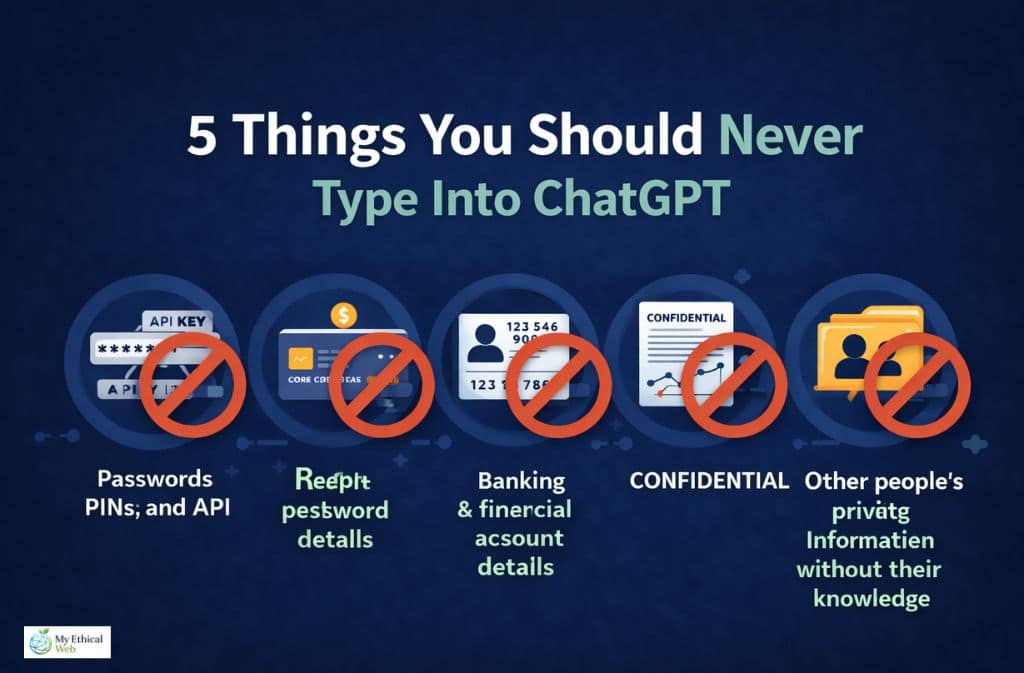
This is the section that matters more than any privacy setting.
No amount of configuration compensates for inputting information that shouldn’t be there in the first place.
1. Passwords, PINs, and authentication credentials This should be obvious, but people do it — asking ChatGPT to “help debug” a script and pasting in live API keys or passwords. Never.
2. Banking and financial account details Account numbers, routing numbers, card details. Not because ChatGPT will steal them — but because the data is retained, potentially reviewed, and the risk-benefit ratio is zero.
3. Government ID numbers Social security numbers, passport numbers, national ID numbers. These are the core of identity theft. No legitimate use case requires typing them into an AI chat.
4. Confidential business information under NDA Trade secrets, unreleased product roadmaps, M&A details, client lists covered by confidentiality agreements. If your employment or vendor contract prohibits disclosure, “disclosure to an AI system” almost certainly counts. This is an active legal risk, not just a privacy one.
5. Other people’s private information without their knowledge Pasting in a colleague’s personal details, a client’s medical history, or a friend’s private communications creates a privacy violation for them, regardless of your intentions.
Think of ChatGPT as a brilliant assistant working in a shared office. You’d ask them to help draft a proposal, research a topic, or think through a problem — but you wouldn’t hand them your passport or whisper your banking password. Same principle applies.
Privacy Settings Checklist for 2026
Standard Users
- Review “Improve the model for everyone” setting — turn off if you don’t want training use
- Check your Memory settings and clear what’s accumulated
- Use Temporary Chat for sensitive one-off conversations
- Export your data periodically to know what’s stored
- Review any connected apps or integrations
Operator/Agent Users (High Priority)
- Audit what tasks you’re assigning — agents capture broad context
- Don’t use agents near sensitive documents you haven’t consented to capture
- Check agent session logs regularly — they persist separately
- Treat the 90-day window as your baseline — assume agent data stays for 90 days
- Review MCP server privacy policies for every connection you’ve made
- Consider whether Enterprise EKM is appropriate for your use case
For Business Users
- Evaluate whether the consumer product is appropriate for your data sensitivity
- Implement company policies on what may and may not be inputted
- Review regulatory requirements — HIPAA, GDPR, and similar may require Enterprise
- Train team members on what the “Improve the model” setting actually does vs. doesn’t do
Common Mistakes People Still Make
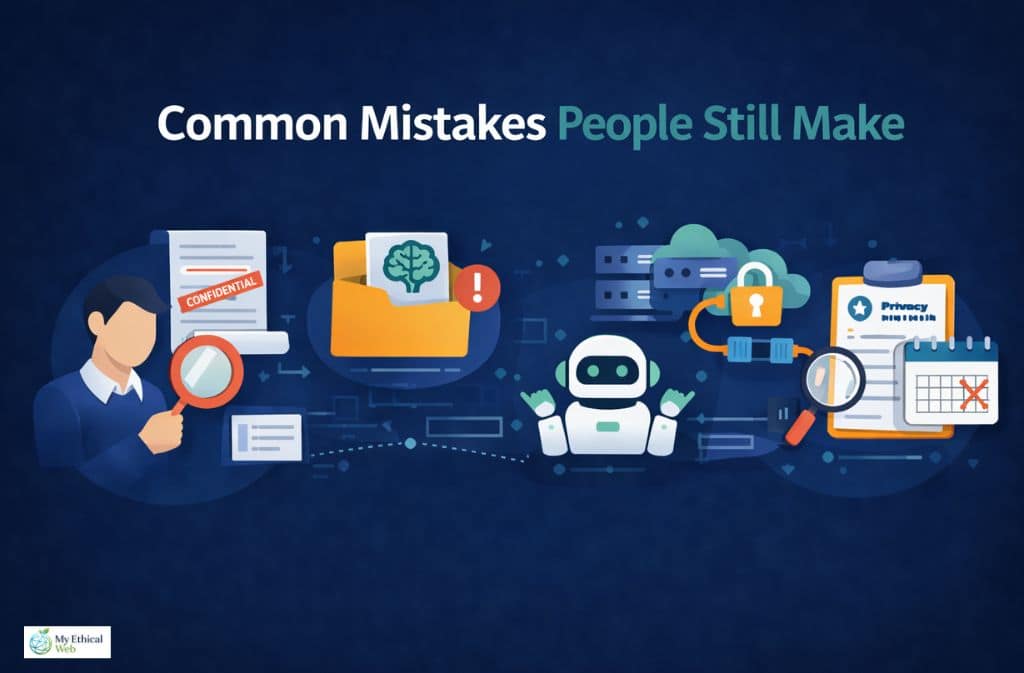
Treating ChatGPT like a secure notes app. It’s not storage. It’s not a vault. Don’t paste content there expecting it to stay private and retrievable only by you.
Copy-pasting full confidential documents “just to get a summary.” Even if the summary is all you use, the full document went into the system.
Assuming “AI = private by default.” The opposite assumption is safer: treat AI tools as semi-public until you’ve verified the specific settings.
Forgetting that Memory persists differently than chat history. You can have chat history turned off while Memory is accumulating a detailed profile of your preferences, circumstances, and past discussions. These are separate systems.
Connecting MCP integrations without reading the third-party privacy policy. The connector is built for convenience; the privacy review is your responsibility.
Confusing “not training on my data” with “not retaining my data.” These are independent. Turning off training use doesn’t affect the 30-day (or 90-day agent) retention windows.
ChatGPT Privacy Cheat Sheet (2026)
| Topic | Reality |
|---|---|
| Are chats published publicly? | No |
| Are chats retained after deletion? | Yes, up to ~30 days |
| Does “training off” stop retention? | No — these are separate |
| Is Temporary Chat fully private? | No — reduces, doesn’t eliminate |
| Do ads mean chats are sold? | No — contextual targeting only |
| Agent/Operator mode retention | Up to ~90 days, includes screenshots |
| MCP server data | Governed by the third-party provider, not OpenAI |
| Legal holds | Can pause deletion indefinitely |
| Enterprise EKM | Only option with genuine data control |
| Memory feature | Persists across sessions; review and clear periodically |
Frequently Asked Questions
Q. Does ChatGPT save your chats after deleting?
Yes, temporarily. Conversations may be retained in backend systems for approximately 30 days after deletion for security and system integrity purposes. Deletion removes the conversation from your visible interface immediately, but full backend purging takes time.
Q. Is ChatGPT safe for confidential information?
No. ChatGPT is not designed or appropriate for highly sensitive or confidential data — including trade secrets, legal strategy, government IDs, financial credentials, or health records. Enterprise users with EKM have stronger controls, but the consumer product is not a confidential information system.
Q. Does ChatGPT share your data with others?
It does not share your conversations with other users, advertisers, or random third parties. It complies with valid legal requests when legally required. Data flowing through connected MCP servers is governed by those third-party providers’ policies.
Q. Is Temporary Chat completely private?
No. Temporary Chat prevents your conversation from being saved to your account history and reduces training use, but does not eliminate short-term backend processing or retention. It’s closer to browser incognito mode than true anonymization.
Q. Can I tell ChatGPT personal things?
Yes, for general personal matters. Avoid sharing highly sensitive identifying information — account credentials, government IDs, financial details, or information you’d be uncomfortable with a third party potentially viewing.
Q. Does ChatGPT share data with the government or police?
Only when legally required through valid legal processes — court orders, subpoenas, and similar. There is no automatic or routine government access.
Q. What did the February 9, 2026 privacy policy update change?
The update made the distinction between data retention and training use more explicit, incorporated requirements from the EU AI Act’s August 2025 implementation, and updated disclosures around the agentic features and contextual advertising that were introduced in late 2025 and early 2026.
Q. What is the difference between training retention and safety retention?
Training retention refers to using your conversations to improve AI models — this can be disabled via settings. Safety retention refers to temporary storage for security monitoring, abuse detection, and system integrity — this continues regardless of your training preference settings. They are independently configured.
Q. Is ChatGPT safe for students?
For learning, research assistance, and general academic use, yes. Avoid sharing personal records, grades, institutional login credentials, or other students’ information. Schools and universities with FERPA obligations should evaluate institutional policies before using consumer AI tools for anything involving student data.
Q. What is an MCP server and why does it matter for privacy?
Model Context Protocol (MCP) servers are third-party integrations that extend ChatGPT’s capabilities — connecting it to calendars, databases, productivity tools, and more. When you use these integrations, data may flow to the third-party provider, and OpenAI’s privacy policies do not govern what those providers do with it. Review each provider’s privacy policy before connecting.
Conclusion
ChatGPT is not spying on you. It’s also not a private vault.
The 2026 reality sits in the gap between those two extremes — and that gap has grown more complicated, not simpler, as the product has evolved. Standard chat carries a 30-day retention window. Agent features push that to 90 days and add screenshot capture. The ads system introduced contextual targeting. Legal holds can indefinitely pause deletions. MCP connections extend your data footprint to third parties OpenAI doesn’t govern. And an automated age-prediction system is quietly adjusting your privacy settings without asking.
None of this makes ChatGPT unsafe for everyday use. Millions of people use it productively without incident, and the risk for typical conversations is genuinely low.
But “low risk” is not “no risk,” and the specific risks have shifted. The safest approach in 2026 is simple:
Use it freely for general tasks. Be deliberate about what you input. Review your settings once in a while. Understand that “deleted” and “gone” have a 30-day gap between them.
Because what you type into any system — AI or otherwise — matters more than the settings menu ever will.
Related: Is Using AI Bad for the Environment? The Real Impact Explained (2026)